
CNY withdrawals and order refunds on ByteMax
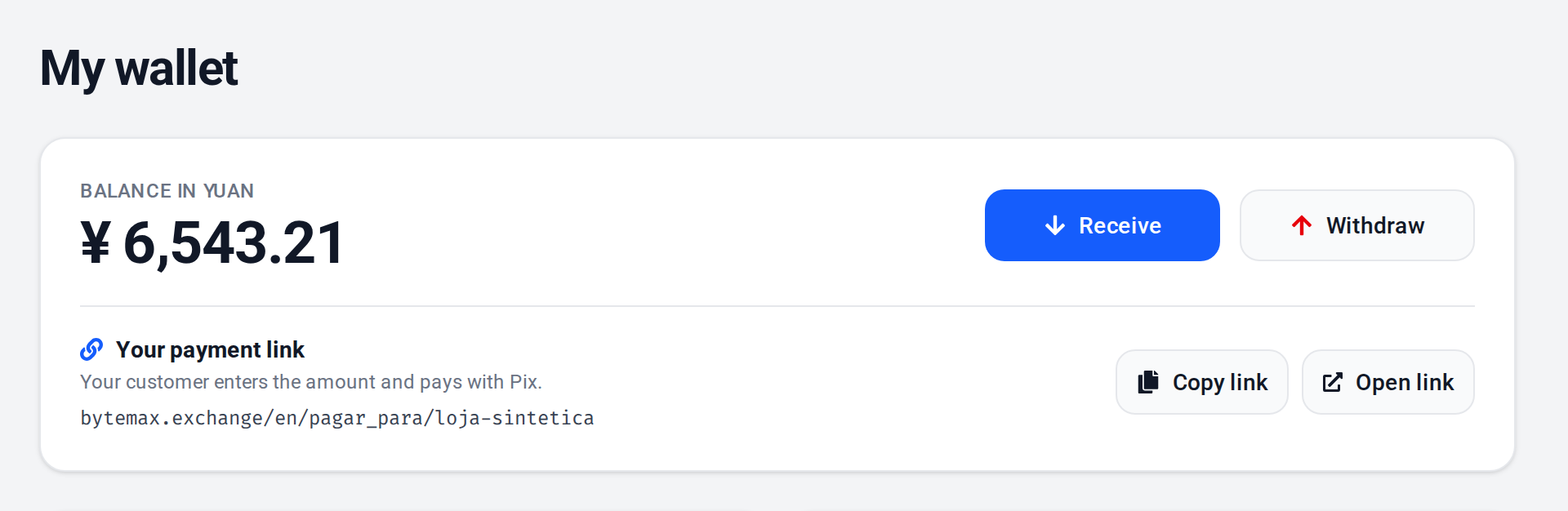
For most CN/HK suppliers, the balance is managed and withdrawn in CNY. A refund is made through the original order and goes back to the Pix account that paid, with no Pix key. The Wallet does not offer Pix withdrawals.
Withdraw in CNY (most common for CN/HK suppliers)
- On ByteMax, open your Wallet.
- In the CNY balance card, click Withdraw.
- Enter the amount in CNY and click Confirm withdrawal. The bank details are asked for later, on the withdrawal's page.
- When asked, confirm the withdrawal with an email code or a method you have already set up.
- On the withdrawal's page, enter the details of the bank account that will receive the yuan and follow the status until it completes. The withdrawal also appears in your Wallet transactions.
Fees and limits (as shown in the UI)
Fees, minimums, and limits can vary. Always confirm what is shown in the modal and on ByteMax's fees page.
- The minimum CNY withdrawal amount is shown on the screen.
- Reserved balance (for disputes) is not available for withdrawal.
- If the action is blocked by compliance/risk rules, complete KYC/KYB and try again.
- For support and tracking, keep the order/transaction ID and the approximate time (UTC/BRT).
Best practices
- Enable 2FA and keep your account secure.
- For refunds, use only Refund on the original payment's row in your Wallet: the money goes back to the account that paid.
- Keep transaction/order IDs and the approximate time for reconciliation and support.
- Keep KYC/KYB up to date (required to receive payments) to avoid blocks.
- Plan your cash flow considering possible reserved balance during disputes.
- If you operate from CN/HK, record timestamps with UTC and BRT to avoid timezone confusion.
Need help? Contact ByteMax support
If something differs from what you see on screen, follow what the screen shows and send these details to speed things up.
- Payment/Order ID (e.g., PAGAMENTO-000123 or ORDEM-000123).
- Approximate date & time (include timezone: UTC or BRT (UTC-3)).
- Amount, currency (BRL/CNY) and the status shown.
- Screenshots without unnecessary sensitive data (keep the ID visible).
- If there's a dispute: 1 or 2 chat screenshots showing the agreement and the relevant receipts.