Refunds and chargebacks
This guide explains how refunds work on ByteMax, common timelines, and what to do when an automatic refund is not available.
How it works
- A refund is not the same as a dispute. Refunds return the money; disputes are a separate resolution flow.
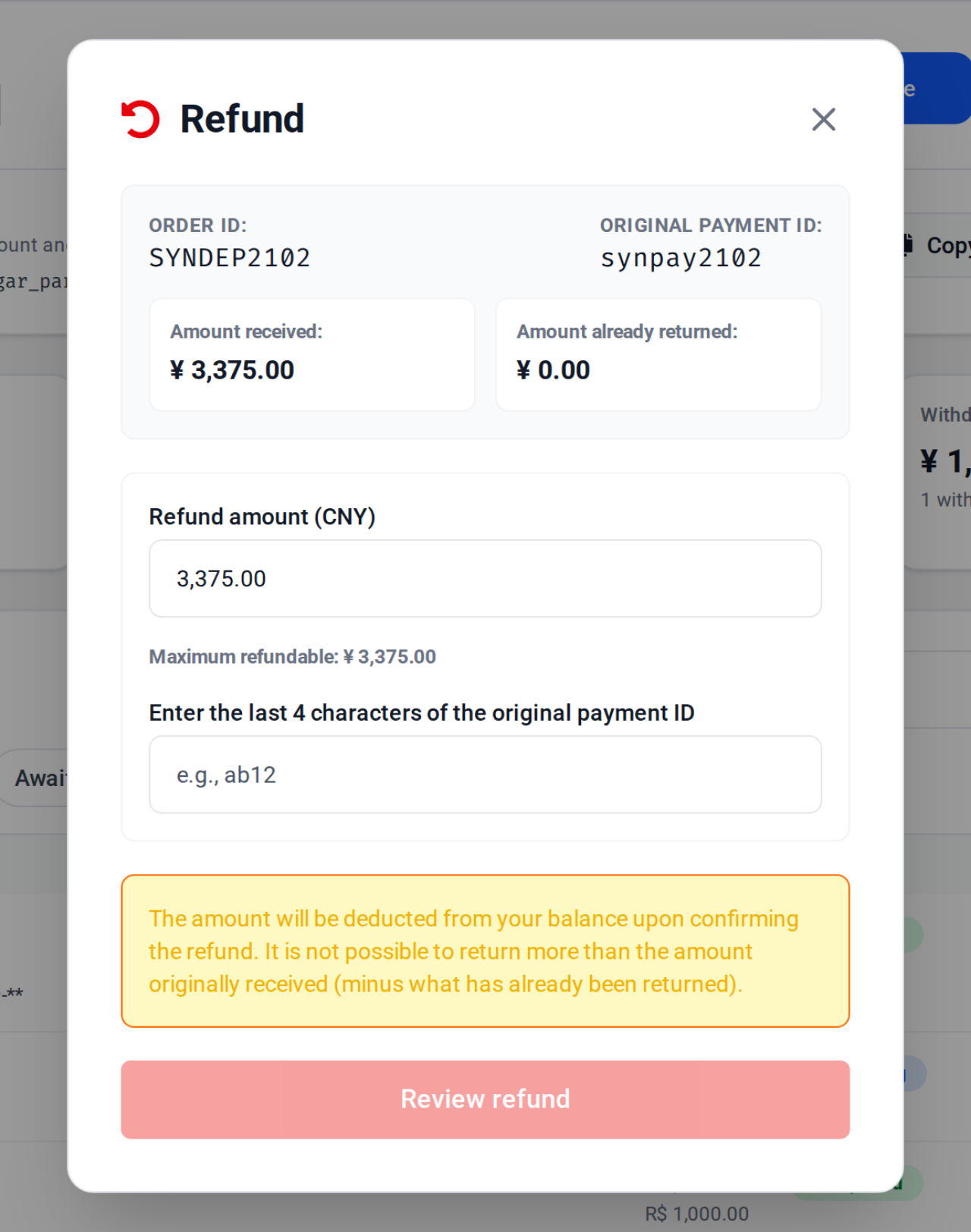
- When available, you request the refund from the order/transaction inside ByteMax.
- Some operations depend on an external platform/partner and may have extra steps and timelines.
- After 90 days from the payment, the provider refuses a refund through the order. In a dispute, when the original refund is not possible, the payer confirms a Pix key on the Disputes page to receive the money.
When a refund is usually possible
- The transaction is completed and the payment was made no more than 90 days ago.
- The amount has not been fully refunded yet.
- There is no blocking compliance/dispute restriction for the case.
When it may not be possible
- The payment is older than 90 days (automatic refund not available).
- The transaction has already been fully refunded.
- The refund must be handled by an external platform/merchant.
- The case requires a manual review due to dispute/compliance checks.
By operation type
Use this section to understand where to request the refund and what to expect.
- Pix payment on a ByteMax payment link: the recipient refunds with the Refund button in the wallet; the payer asks the recipient for the refund or opens a dispute.
- CSSBUY or HubbuyCN: the partner platform may have additional timelines and steps.
- With an open dispute: evidence and analysis may be required before any refund.
- Refunds start from the original BRL to CNYBM order. Wallet withdrawals and currency operations are not refund methods.
Pix key refund in disputes
When a dispute ends in a refund and the original Pix refund is not possible, the payer confirms a Pix key on the Disputes page to receive each installment. The key must be a CPF/CNPJ key with exactly the original payer's CPF/CNPJ.
- Confirm the Pix key only on the Disputes page, with Confirm Pix, for each available installment.
- The recipient's Refund button never asks for a Pix key, and the wallet does not offer Pix withdrawals.
- ByteMax verifies exact CPF/CNPJ ownership without exposing the payer's full document to the merchant.
- If the key holder or the payer cannot be confirmed, the screen asks you to try again or contact support.
Best practices
- Avoid making multiple payments to the same ID. It makes refunds harder.
- Keep the order/payment ID, approximate time (with timezone), and receipts.
- If a partner handles the refund, follow the instructions shown in that flow and verify timelines there.
- When contacting ByteMax support, send the minimum needed: ID, amount, time, and screenshots without sensitive data.
Need help? Contact ByteMax support
If something differs from what you see on screen, follow what the screen shows and send these details to speed things up.
- Payment/Order ID (e.g., PAGAMENTO-000123 or ORDEM-000123).
- Approximate date & time (include timezone: UTC or BRT (UTC-3)).
- Amount, currency (BRL/CNY) and the status shown.
- Screenshots without unnecessary sensitive data (keep the ID visible).
- If there's a dispute: 1 or 2 chat screenshots showing the agreement and the relevant receipts.