
How to open a dispute
If you had a problem with an order, a dispute is the formal flow to register the case and attach evidence. Use this guide to avoid mistakes and speed up the review.
When it makes sense to open a dispute
- You paid, but the agreed product/service was not delivered.
- There was fraud, an incorrect charge, or a significant mismatch.
- You tried to resolve directly, but you need an official record and evidence review.
- ByteMax support asked you to open a dispute to centralize information.
Step by step
- Sign in to the account with the same CPF/CNPJ used for the payment and open Create dispute, or use the Dispute payment button on the payment page.
- Enter the Pix identifier on your bank receipt (it starts with the letter E and has 32 characters) or the payment code from the ByteMax payment page, and click Add payment. Repeat for each payment.
- Describe the issue objectively and attach evidence files (screenshots/PDFs) showing the agreement and the problem.
- Submit and track the status. Reply if the team requests more information.
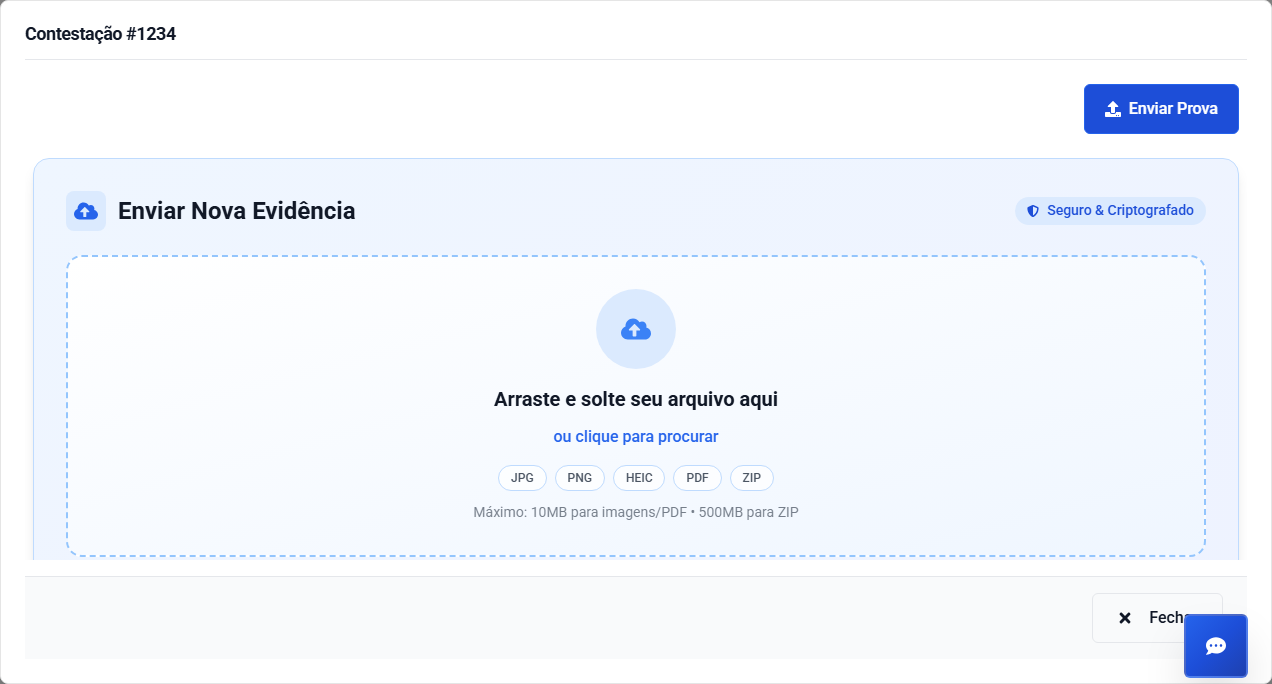
Evidence: what to attach
Attach only what is necessary to prove the agreement and what went wrong.
- Pix receipt with date and time.
- The relevant chat excerpt that shows the agreement (1-2 screenshots).
- Invoice / purchase order, if available.
- Shipping tracking updates, when applicable.
- Photos of the issue (product/service), when it helps prove the case.
Timeline template (recommended)
A timeline helps prevent timezone confusion and speeds up analysis.
- Include date/time and timezone (BRT UTC-3 and, if possible, UTC).
- List events in order: order created, payment, messages, and resolution attempts.
- Reference the IDs: order/payment ID and, when applicable, tracking or invoice numbers.
Need help? Contact ByteMax support
If something differs from what you see on screen, follow what the screen shows and send these details to speed things up.
- Payment/Order ID (e.g., PAGAMENTO-000123 or ORDEM-000123).
- Approximate date & time (include timezone: UTC or BRT (UTC-3)).
- Amount, currency (BRL/CNY) and the status shown.
- Screenshots without unnecessary sensitive data (keep the ID visible).
- If there's a dispute: 1 or 2 chat screenshots showing the agreement and the relevant receipts.