
How to top up your CSSBUY account with Pix
CSSBUY is a shopping and package consolidation platform in China, and its balance is in yuan (CNY). With ByteMax you pay in reais by Pix and the amount lands as balance in your CSSBUY account: no international card, no middleman, without leaving your bank app. It takes three steps — create the top-up, pay the Pix and follow the credit.
Before you start
- A ByteMax account with registration completed.
- Your CSSBUY username — step 1 shows where to find it.
- A Pix payment in reais to pay for the top-up.
- The minimum amount for each top-up appears under the amount field when you create it.
Confirm your CSSBUY username
Sign in to CSSBUY and check exactly what your username is. It shows up in the Welcome Back greeting on the Personal Center and again on the account card, on the right:
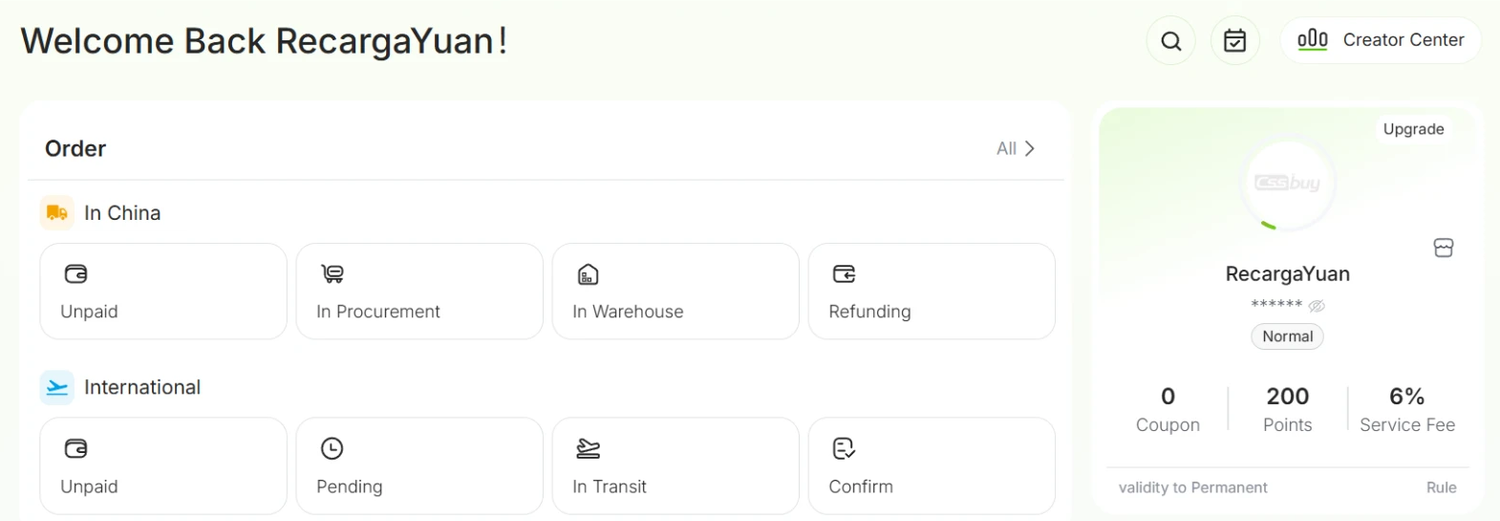
In the capture above the username is RecargaYuan: that is the account ByteMax uses on CSSBUY, and the one your yuan will come from. Copy yours carefully: uppercase, lowercase, numbers and underscores have to match exactly.
Create the top-up on ByteMax
On ByteMax, open the top-ups page and fill in the New CSSBUY top-up form:
- In You pay, type the amount in reais. The You receive field shows right away how much yuan arrives, with the rate and the fee already applied.
- In CSSBUY username, type the name you confirmed in step 1. If you have topped up before, it shows up as a suggestion under the field.
- Check the minimum shown under the field and tap Create top-up.
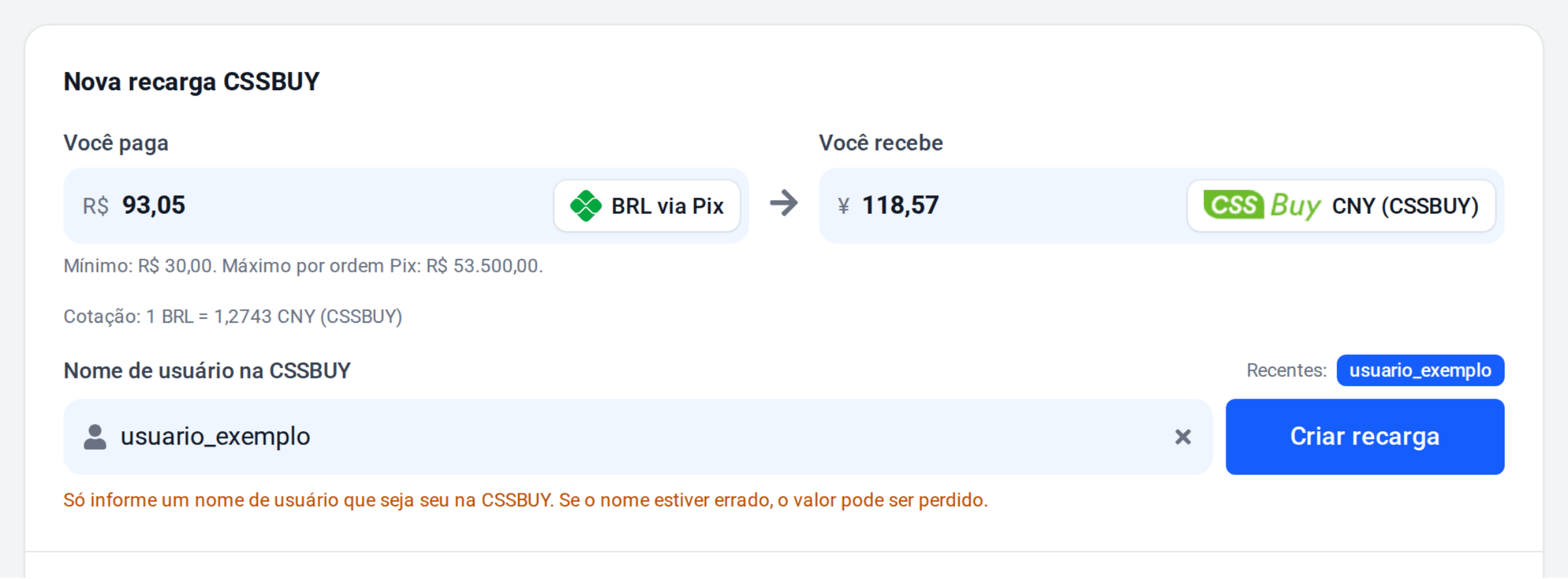
The amount in yuan is calculated with the rate at the moment the top-up is created.
Pay the Pix
ByteMax opens the Your CSSBUY top-up page, with the summary and the Pix code. Pay it in your bank app:
- Scan the QR code with your bank app, or tap Copy Pix code and paste it into the Pix copia e cola option.
- Check the amount and the recipient on your bank's screen before confirming.
- Pay only once: every top-up has its own Pix code.
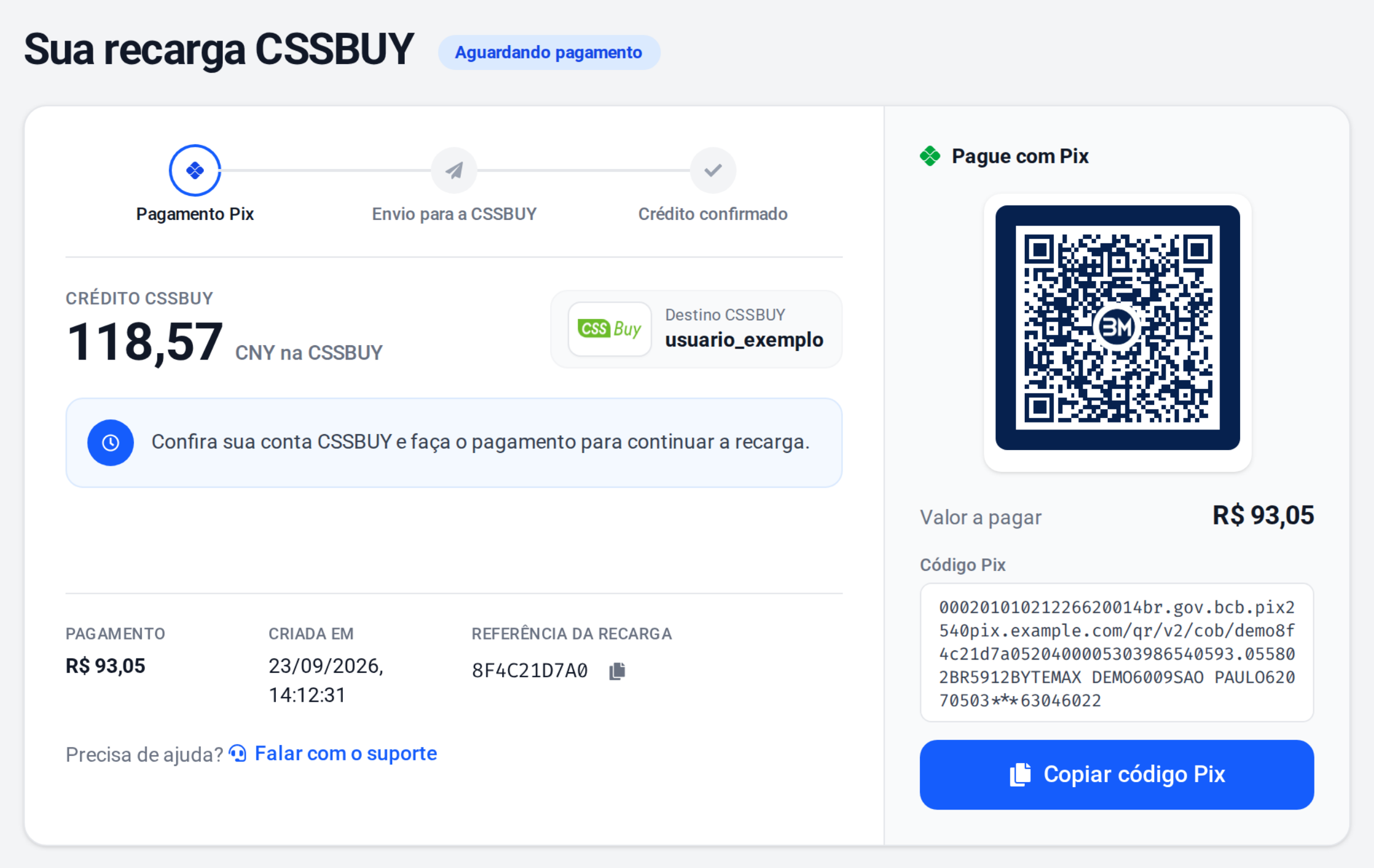
Until the payment arrives, the top-up stays as Awaiting payment. If you close the page, you can open it again from the top-up history in your account. If the top-up expires before you pay, just create another one — the old code is no longer valid.
Follow the credit
Once the Pix is confirmed, ByteMax sends the yuan to your CSSBUY account and the page updates on its own. When it is done, it shows Credit completed:
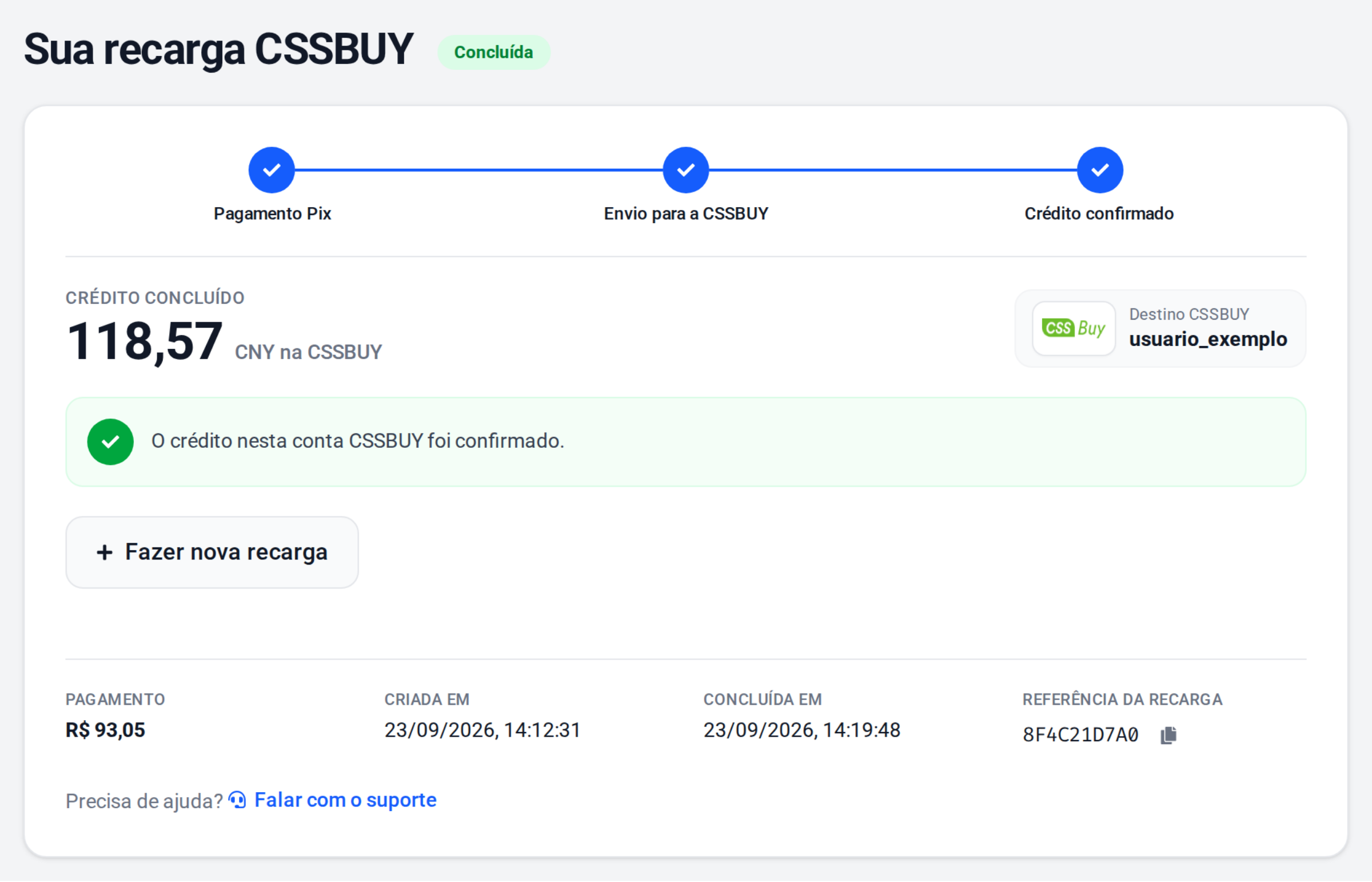
The credit usually arrives within minutes. You do not have to pay again or tell anyone: the page refreshes itself while the top-up is processed. To top up again, use Start a new top-up.
On the CSSBUY side, the top-up shows up on the Wallet page: the balance sits in the black card, behind the eye icon, and the matching entry appears under Transaction History, sent by RecargaYuan.

If it takes much longer than that and nothing shows up under Transaction History, check that the username was right and contact ByteMax support.
Final tips
- Check the username: a wrong name sends the balance to someone else's account, and that amount may not come back.
- One Pix per top-up: if you pay the same code twice, contact support instead of creating another top-up.
- Top-up did not arrive? Check the balance and the history in the CSSBUY Wallet and, if it is not there, contact ByteMax support with the top-up number at hand.
- Need a refund? For top-ups already credited, getting the money back depends on CSSBUY's rules. Contact their official support through the site or the app and follow the withdrawal instructions. Avoid third-party links; if you use Discord, confirm the official channel inside the CSSBUY site.
That's it: whenever you need balance, create the top-up, pay the Pix and shop on CSSBUY.
Need help? Contact ByteMax support
If something differs from what you see on screen, follow what the screen shows and send these details to speed things up.
- Payment/Order ID (e.g., PAGAMENTO-000123 or ORDEM-000123).
- Approximate date & time (include timezone: UTC or BRT (UTC-3)).
- Amount, currency (BRL/CNY) and the status shown.
- Screenshots without unnecessary sensitive data (keep the ID visible).
- If there's a dispute: 1 or 2 chat screenshots showing the agreement and the relevant receipts.